
Installation
※ Please check your wifi connection is stable.
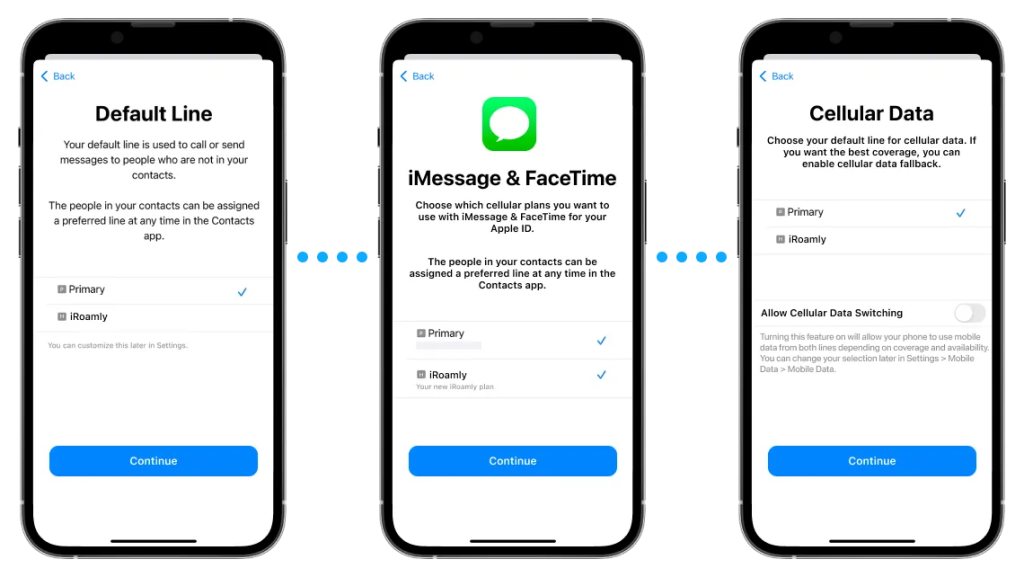
Go To [Settings] – [Cellular] – [Add eSIM]
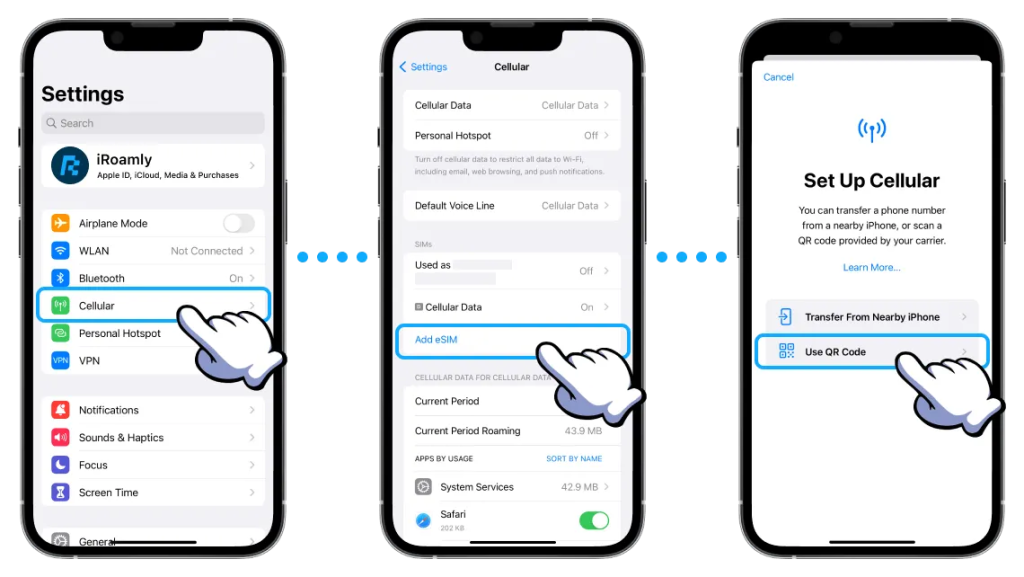
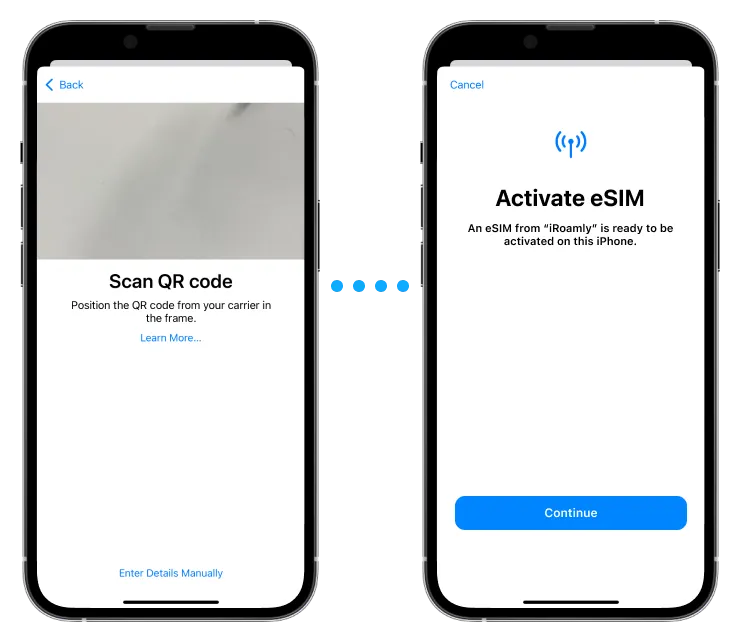
Scan your QR Code
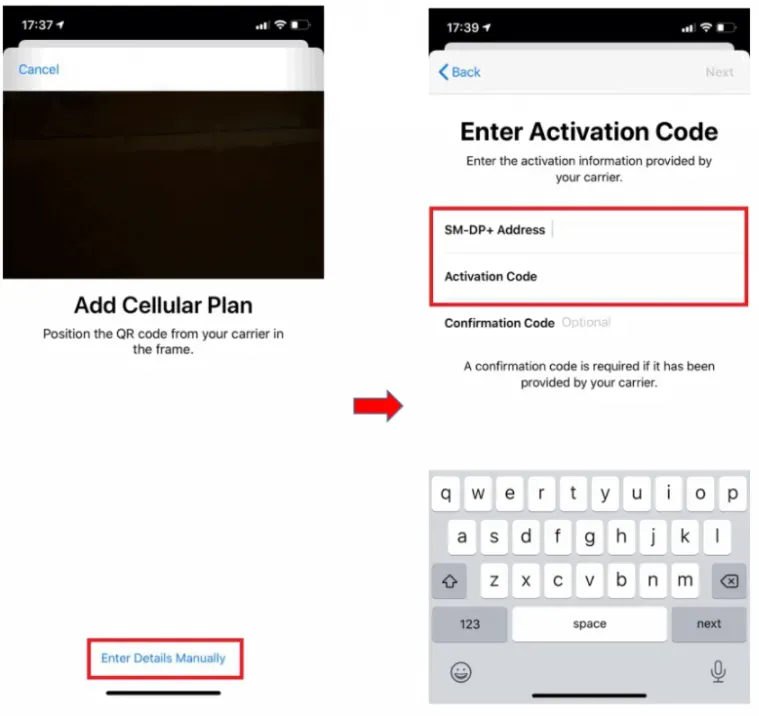
Can’t scan the QR Code?
– Use SM-DP+ Address & Activation Code
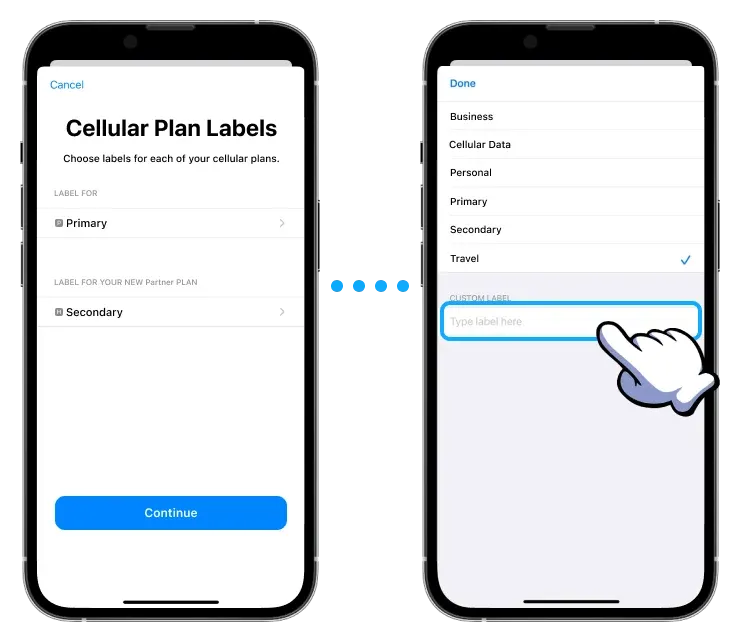
★ It’s Recommended to set the plan label to Travel ★
Usage
Go To [Settings] – [Cellular] – Installed eSIM
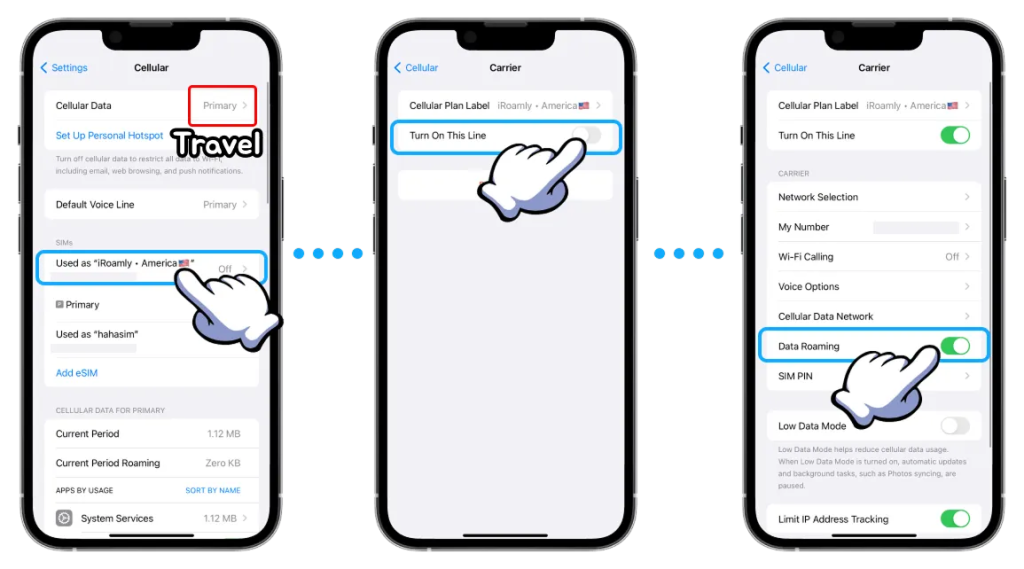
Change Cellular Data label to Travel
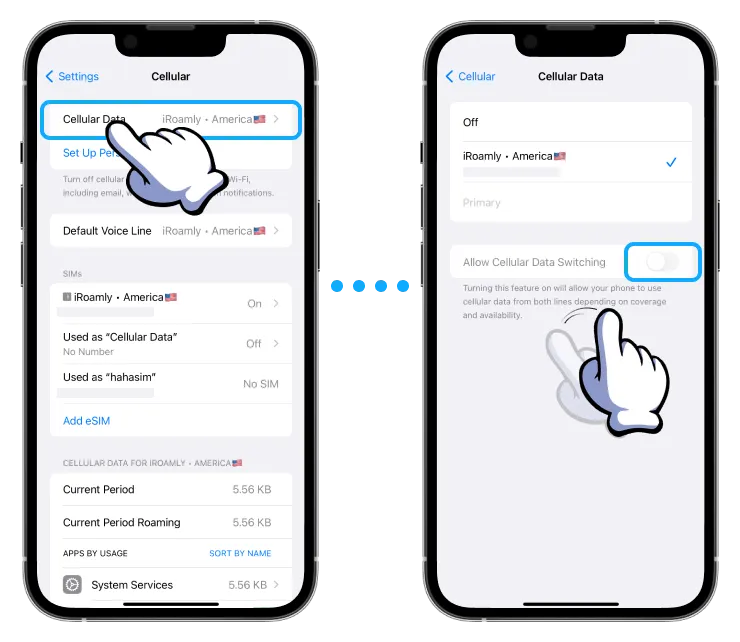
Enjoy Your Trip !